Terlido Newsletter API
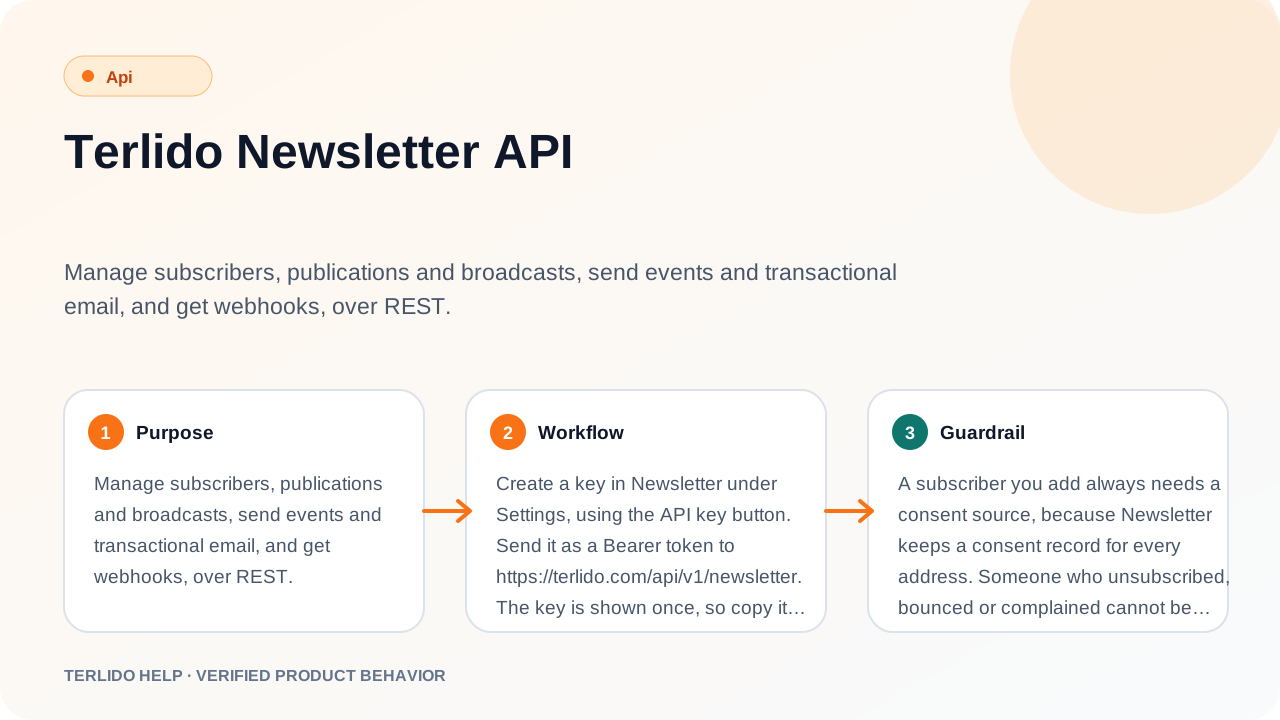
Manage subscribers, publications and broadcasts, send events and transactional email, and get webhooks, over REST.
The Terlido Newsletter API is a REST API for your newsletters. You can add, remove and look up subscribers, create publications (a publication is a brand in the app), write and send broadcasts, start automations, send transactional email and subscribe to webhooks. Every call works on one workspace: the one that owns the key.
How to use it
Create a key in Terlido Newsletter under Settings, Integrations, using the API key button. Send it as a Bearer token to https://terlido.com/api/v1/newsletter. The key is shown once, so copy it when you create it.
Check the key with a first call:
curl https://terlido.com/api/v1/newsletter/me \
  -H "Authorization: Bearer tld_YOUR_KEY"
{
"data": {
"workspace": { "id": "ws_123", "name": "Acme", "slug": "acme" },
"scopes": ["newsletter:read", "newsletter:write", "newsletter:send", "newsletter:automations"]
}
}Every request and response is JSON. Send Content-Type: application/json with a body. Request bodies are strict: a field the route does not know is refused with a 400, and you can never send a workspaceId.
Important behavior
A subscriber you add always needs a consent source, because Terlido Newsletter keeps a consent record for every address. Someone who unsubscribed, bounced or complained cannot be added again through the API; only the subscriber can re-subscribe, in the preference center. A suppressed address is never added.
A broadcast is sent in two steps. First prepare it, which fixes the recipients and returns a preparedHash. Then schedule it with that hash and an operationId you choose. If anything about the broadcast changes after you prepare, the hash is stale and you prepare again.
Read calls need a Terlido Newsletter plan. Calls that write or send need a Terlido Newsletter Pro plan, and the plan is checked on every call. After a downgrade, the key stops working for those calls at once.
Call the API from your server. Browsers are blocked by CORS, which allows only the Terlido browser extension.
Keys and scopes
A key holds one or more scopes, and each route asks for one.
| Scope | What it allows |
|---|---|
newsletter:read | Look things up: workspace, publications, subscribers, mailboxes, sent broadcasts. Subscribe to webhooks. |
newsletter:write | Add, unsubscribe and delete subscribers. Create and edit publications and broadcast drafts. |
newsletter:send | Prepare, schedule, unschedule and cancel broadcasts. |
newsletter:automations | Send events and enroll subscribers in automations. |
newsletter:transactional | Send transactional email. Only this scope does. |
Which key holds which scopes:
| Key | Created in | Scopes |
|---|---|---|
| API key | Terlido Newsletter Settings, Integrations, API key button | read, write, send, automations |
| Zapier key | Terlido Newsletter Settings, Integrations, API key for Zapier button | read, write, automations |
| Events key | An automation with an API event trigger | automations |
| Transactional key | Terlido Newsletter, Transactional | transactional |
The API key can send newsletters to your subscribers, so treat it like a password. You can also use it as a Bearer token for the Terlido MCP server, so an AI agent that holds it can send newsletters too. Revoke a key at any time in Account, under Integrations.
Responses and errors
A call that works returns { "data": ... }. A call that fails returns an error with a message and a code:
{ "error": { "message": "Subscriber not found", "code": "not_found" } }| Status | Code | When |
|---|---|---|
| 400 | bad_request | The body or query is not valid. invalid_custom_fields and bad_time are also 400. |
| 401 | unauthorized | The key is missing or wrong. |
| 402 | upgrade_required | The workspace plan does not include this call. |
| 403 | forbidden | The key does not hold the scope, or the workspace is suspended. |
| 404 | not_found | No such publication, subscriber or broadcast in this workspace. |
| 409 | conflict and others | The state does not allow the call. For example not_resubscribable, suppressed, cap_reached, no_mailbox, not_draft, wrong_status, stale, operation_conflict. |
| 422 | checklist and others | A required item is not ready, or the segment cannot be read. |
| 429 | rate_limited | More than 100 requests in a minute for this key. |
A 429 carries a Retry-After header with the seconds to wait. The limit is 100 requests per minute for each key.
A bad custom field returns the list of problems, so you can fix them in one pass:
{
  "error": {
    "code": "invalid_custom_fields",
    "message": "seats must be a number",
    "details": [{ "key": "seats", "message": "must be a number" }]
  }
}
A broadcast that fails its checklist returns the items that failed:
{
  "error": {
    "message": "Fix the items marked required first.",
    "code": "checklist",
    "failed": ["postal_address"]
  }
}
Subscribers
Subscribers are named by publication and email address. The address goes in a POST body, never in the URL, so it stays out of server logs. It is trimmed and lowercased.
Add a subscriber (newsletter:write). The subscriber is active at once. No email is sent.
curl -X POST https://terlido.com/api/v1/newsletter/subscribers \
  -H "Authorization: Bearer tld_YOUR_KEY" -H "Content-Type: application/json" \
  -d '{"publicationId":"pub_123","email":"ada@example.com","consentSource":"signed_up_on_site","customFields":{"plan":"pro"}}'
{ "data": { "subscriptionId": "sub_456", "status": "active", "created": true } }consentSource is one of signed_up_on_site, customers_opted_in or migrated_from_platform. You can also send firstName and lastName. Send listId to add the subscriber to one of the publication's lists. Without it they join the default list. A list of another publication is a 404. The status is 201 for a new subscriber and 200 if the address was already active or pending. customFields is written only when the call creates the contact. It never changes an existing contact.
Set custom fields on one existing subscriber (newsletter:write). Only the keys you send change, and null clears a key. A key that does not exist yet becomes a new custom field of the workspace. Automations that watch the field see the change when the next step of an enrollment is due. An exit goal on the field stops the drip before its next email, not at once.
curl -X POST https://terlido.com/api/v1/newsletter/subscribers/attributes \
  -H "Authorization: Bearer tld_YOUR_KEY" -H "Content-Type: application/json" \
  -d '{"publicationId":"pub_123","email":"ada@example.com","customFields":{"plan":"premium"}}'
{ "data": { "matched": 1, "changed": 1, "notFound": 0, "invalid": 0, "createdKeys": [] } }A 200 does not mean the write worked, so require changed to be 1. matched is 1 when the address is a subscriber of the publication. changed is 1 when its contact was written. It can be 0 while matched is 1 when the contact of the subscriber no longer exists. notFound is 1 when the address is not a subscriber. invalid is 1 when the address is not accepted as an email. If every count is 0, nothing was written.
createdKeys lists the keys that did not exist and were created. A misspelled key is created as a new field and the call still succeeds, so it looks like a success. If you depend on a specific field, for example the exit goal of an automation, treat a non-empty createdKeys as a failed write.
customFields needs at least one field. A bad key or value is a 400 and no subscriber is written. An unknown publication is a 404.
Unsubscribe one address from one publication (newsletter:write). An active or pending subscriber becomes unsubscribed. Any other status comes back with changed false. It does not suppress the address in other publications, but Outreach campaign emails to it stop.
curl -X POST https://terlido.com/api/v1/newsletter/subscribers/unsubscribe \
  -H "Authorization: Bearer tld_YOUR_KEY" -H "Content-Type: application/json" \
  -d '{"publicationId":"pub_123","email":"ada@example.com"}'
{ "data": { "subscriptionId": "sub_456", "status": "unsubscribed", "changed": true } }Delete a subscriber and its consent records (newsletter:write). Use POST /subscribers/delete with the same body. It returns { "data": { "deleted": true, "status": "active" } }. A 409 means someone just signed up through this subscriber's referral link; try again.
Look up a subscriber (newsletter:read). Use POST /subscribers/status with the same body:
{
  "data": {
    "subscriptionId": "sub_456",
    "publicationId": "pub_123",
    "status": "active",
    "createdAt": "2026-10-01T09:30:00.000Z"
  }
}
The status is one of active, pending, unsubscribed, bounced or complained. An address that is not subscribed is a 404.
Count the active subscribers of a publication (newsletter:read):
curl "https://terlido.com/api/v1/newsletter/subscribers/count?publicationId=pub_123" \
  -H "Authorization: Bearer tld_YOUR_KEY"
{ "data": { "publicationId": "pub_123", "active": 1280 } }List the most recent active subscribers (newsletter:read) with GET /subscribers?publicationId=pub_123&limit=10. The limit is 1 to 25, and the default is 3.
Export subscribers as CSV (newsletter:read), the same file as Export CSV in the app:
curl "https://terlido.com/api/v1/newsletter/subscribers/export.csv?publicationId=pub_123&status=active" \
  -H "Authorization: Bearer tld_YOUR_KEY" -o subscribers.csv
All filters are optional: publicationId (without it, every publication), listId (needs publicationId), status (pending, active, unsubscribed, bounced, complained), engagement=dormant, search, and filters: a URL-encoded JSON array of segment rules that must all match, for example [{"field":"custom_field","key":"plan","op":"equals","value":"pro"}] (list and segment rules need publicationId). The columns are email, first_name, last_name, brand, status, source, source_detail, subscribed_at, confirmed_at, unsubscribed_at, last_click_at, lists, tags, then one cf_<key> column per contact custom field. Dates are ISO 8601 UTC. The file is streamed. An unknown publication or list is a 404.
Publications and mailboxes
List your publications, each with its automations, using GET /publications (newsletter:read).
List the mailboxes Terlido Newsletter may send from using GET /mailboxes (newsletter:read). You need a mailbox id to set the from mailbox of a publication or a broadcast.
{ "data": { "mailboxes": [{ "id": "mbx_789", "email": "news@example.com", "connected": true }] } }Create a publication (newsletter:write). It takes a name of 1 to 100 characters. A workspace over the publication limit of its plan gets a 402.
curl -X POST https://terlido.com/api/v1/newsletter/publications \
  -H "Authorization: Bearer tld_YOUR_KEY" -H "Content-Type: application/json" \
  -d '{"name":"Weekly Notes"}'
{ "data": { "publication": { "id": "pub_123", "name": "Weekly Notes" } } }Edit a publication with PATCH /publications/{id} (newsletter:write). Send only the fields you want to change:
| Field | Meaning |
|---|---|
defaultMailboxId | The mailbox the brand sends from: its confirmation email, and every automation email. A broadcast draft takes this mailbox as its own, and can then be pointed at another one. null clears it. |
postalAddress | The postal address in every broadcast footer. A broadcast cannot be scheduled without one. |
fromName | The sender name on every email of the brand, 1 to 100 characters, one line. |
confirmSubject, confirmBodyHtml | Your own confirmation email subject (one line, up to 500) and text. The Confirm button and the 7-day line are always added under the text. The HTML is cleaned; null or blank goes back to the built-in copy. |
confirmReminderEnabled | true (default) sends one reminder, with a new link, to a signup still unconfirmed 2 days after its last confirmation email. false sends none. |
goodbyeEnabled, goodbyeSubject, goodbyeBodyHtml | Send one goodbye email when a reader unsubscribes themselves while active. Subject and text as above. |
unsubscribeMessage, unsubscribeRedirectUrl | What the unsubscribe page shows after its own button is used: a message (up to 500 characters) or a full https:// address (it wins). A mail app's one-click unsubscribe always gets the standard answer. null or blank clears. |
replyToEmail | Where readers' replies go (a Reply-To header on every email of the brand). null or blank sends replies to the sending mailbox. |
archivePublic | Show the archive of sent broadcasts on the public page. |
doubleOptIn | true (the default): a magic link sends a confirmation email and the person is subscribed after they open it. false: a magic link subscribes at once. The signup form always asks for confirmation. |
description | Plain text on the public page. |
successMessage | Up to 500 characters shown after a successful signup instead of the standard text. Where the person still has to confirm by email, the confirm line stays under it. null or blank clears it. |
successRedirectUrl | A full http:// or https:// address. After a successful signup, magic link or confirmation the person is sent there instead. It wins over successMessage. null or blank clears it; anything else is refused with 400. Errors keep the built-in pages. |
autoUtm | true (the default): every link in a sent broadcast gets utm_source, utm_medium=email and utm_campaign (the subject as a slug), then utmParams. Links that already carry any utm_ param, links to Terlido and to the publication's own domain, and mailto:/tel:/#/merge-tag links stay as written. The params are fixed when the broadcast is prepared. |
utmSource | The utm_source value: letters, digits, ., - and _, up to 100. null or blank uses the publication slug. |
utmParams | Up to 5 extra params, [{ "key": "utm_content", "value": "top" }]. A key is lowercase letters, digits or _ (up to 40), unique, and not utm_source, utm_medium or utm_campaign; a value is 1-100 characters. [] clears them. |
logoAssetId | An image your workspace uploaded. |
timezone | An IANA time zone name. Date triggers run at 09:00 in this zone. |
monthlySendLimit | Sends per UTC month for the publication. null removes the limit. Needs the client brands plan feature. |
referralsEnabled | Turn the referral share link on or off. Needs Pro. |
referralMilestones | Up to 5 referral counts, each with a tag id for the referrer. |
{ "data": { "publication": { "id": "pub_123", "postalAddress": "1 Main Street, Springfield" } } }When you send defaultMailboxId, the answer also has ready, which says whether the signup form can open. A key counts as an admin here. You cannot rename a publication through the API.
Lists
A list is a named group of subscribers inside a publication. Every publication has a default list, "All subscribers". A subscriber's status belongs to the publication, not to a list: unsubscribing stops all email from the publication, but they stay on their lists and are back on them if they re-subscribe. Removing someone from a list is not an unsubscribe.
List the lists of a publication (newsletter:read), the default list first, each with its active member count:
curl "https://terlido.com/api/v1/newsletter/lists?publicationId=pub_123" \
  -H "Authorization: Bearer tld_YOUR_KEY"
{ "data": { "lists": [{ "id": "lst_1", "publicationId": "pub_123", "name": "All subscribers", "slug": "all-subscribers", "description": null, "isDefault": true, "activeCount": 1280, "createdAt": "2026-10-01T09:30:00.000Z" }] } }Create a list (newsletter:write). The name is 1 to 100 characters. The description is optional, up to 500. A publication can have 50 lists, and more is a 409. The answer is 201 with { "data": { "list": { ... } } }.
curl -X POST https://terlido.com/api/v1/newsletter/lists \
  -H "Authorization: Bearer tld_YOUR_KEY" -H "Content-Type: application/json" \
  -d '{"publicationId":"pub_123","name":"Customers"}'
Rename a list or change its description with PATCH /lists/{id} (newsletter:write). Send name, description or both.
Delete a list with DELETE /lists/{id} (newsletter:write). Its memberships are deleted and the subscribers are not. The default list, and a list a signup form uses, answer 409 with the reason.
Add subscribers to a list with POST /lists/{id}/members (newsletter:write), and remove them with DELETE /lists/{id}/members. Both take 1 to 500 subscription ids:
curl -X POST https://terlido.com/api/v1/newsletter/lists/lst_1/members \
  -H "Authorization: Bearer tld_YOUR_KEY" -H "Content-Type: application/json" \
  -d '{"subscriptionIds":["sub_456","sub_457"]}'
{ "data": { "changed": 2 } }changed is how many memberships were added or removed. When adding, ids of another publication and subscribers who are not active or pending are skipped. A list that is not yours is a 404.
Broadcasts
List the latest sent broadcasts with GET /broadcasts?publicationId=pub_123&limit=3 (newsletter:read). The limit is 1 to 25.
Create a draft (newsletter:write). The draft is empty, or copied from a starter template. The template ids are starter:weekly-digest, starter:announcement, starter:product-update, starter:event-invitation, starter:curated-links and starter:personal-letter. The draft uses the mailbox of the publication, or the first mailbox that can send. You can also pass listIds (send to the active members of any of these lists of the brand; null or [] means the whole brand) and excludeListIds (leave out their members). A list in both is a 400.
curl -X POST https://terlido.com/api/v1/newsletter/broadcasts \
  -H "Authorization: Bearer tld_YOUR_KEY" -H "Content-Type: application/json" \
  -d '{"publicationId":"pub_123","templateId":"starter:announcement"}'
{ "data": { "broadcastId": "bc_321", "mailboxId": "mbx_789" } }Update a draft with PATCH /broadcasts/{id} (newsletter:write). Send any of subject, subjectB (a second subject, to run a subject test), preheader, bodyHtml, mailboxId, segmentId, listIds, excludeListIds, trackOpens and trackClicks (both true by default; with clicks off a subject test or poll cannot be scheduled). The HTML is cleaned before it is saved. A change to anything a preparation covers throws the preparation away, and cleared tells you so. Only a draft can be edited; any other status is a 409 not_draft.
{ "data": { "broadcastId": "bc_321", "cleared": false, "updatedAt": "2026-10-16T10:00:00.000Z" } }Prepare the broadcast (newsletter:send). This fixes who gets it and runs the checklist. It is safe to repeat: each run replaces the earlier one.
curl -X POST https://terlido.com/api/v1/newsletter/broadcasts/bc_321/prepare \
  -H "Authorization: Bearer tld_YOUR_KEY"
{
"data": {
"preparedHash": "9f2c...64 hex characters",
"recipientCount": 1280,
"matchedCount": 1290,
"excludedCount": 10,
"daysNeeded": 1,
"todayRoom": 1500,
"perDay": 1500,
"ab": { "enabled": false, "testSize": 0, "perVariant": 0 },
"checklist": { "ready": true }
}
}The checklist also lists each item and what blocks the send. A segment that can no longer be read is a 422 segment_invalid; a list of the audience that no longer exists is a 422 list_invalid.
Schedule it, or send it now (newsletter:send). Send the preparedHash, an operationId of your own (16 to 64 characters: letters, digits and . _ : -), and optionally sendAt as an ISO time. Without sendAt the broadcast is sent now. A time more than 5 minutes in the past, or more than a year ahead, is a 400 bad_time.
curl -X POST https://terlido.com/api/v1/newsletter/broadcasts/bc_321/schedule \
  -H "Authorization: Bearer tld_YOUR_KEY" -H "Content-Type: application/json" \
  -d '{"preparedHash":"9f2c...","operationId":"launch-2026-10-16-a1","sendAt":"2026-10-20T09:00:00.000Z"}'
{
"data": {
"status": "scheduled",
"scheduledAt": "2026-10-20T09:00:00.000Z",
"operationId": "launch-2026-10-16-a1",
"replayed": false
}
}The operationId makes a retry safe. A repeat of the same operationId returns the first result with replayed true, and never schedules twice. A repeat is not refused for its sendAt, even if that time has passed. Some rules to know:
- After you unschedule, the same
operationIdreplays the answerdraftand does not schedule again. Use a newoperationIdto schedule again. - A new prepare frees the key. If the content or the recipients changed, the old hash is stale (409
stale). If nothing changed, prepare returns the same hash, and the oldoperationIdcan schedule again. - The same
operationIdwith another hash is a 409operation_conflict. - A broadcast that is not a draft is a 409
wrong_status. - A failed checklist is a 422
checklistwith the failed items. A monthly send limit shows assend_limit.
Unschedule a scheduled broadcast (newsletter:send) with POST /broadcasts/{id}/unschedule. It returns { "data": { "status": "draft" } }. The prepared recipients stay, so you do not need to prepare again.
Cancel a scheduled or sending broadcast (newsletter:send) with POST /broadcasts/{id}/cancel. It returns { "data": { "status": "cancelled", "was": "scheduled" } }. Emails that already went out stay sent.
Automations and events
Send an event to start the automations that listen for it (newsletter:automations). The route records the event and answers 202. Terlido Newsletter enrolls the subscriber a moment later. It never says whether the address exists, so the route cannot be used to probe your list.
curl -X POST https://terlido.com/api/v1/newsletter/events \
  -H "Authorization: Bearer tld_YOUR_KEY" -H "Content-Type: application/json" \
  -d '{"eventKey":"order-1001","event":"purchased","publicationId":"pub_123","email":"ada@example.com"}'
{ "data": { "status": "accepted" } }Send exactly one of email and subscriptionId. eventKey and event are 1 to 64 characters: letters, digits and . _ : -. A repeat of the same eventKey answers 200 { "status": "duplicate" }.
Enroll one subscriber in one automation directly (newsletter:automations) with POST /enrollments:
{ "automationId": "auto_555", "email": "ada@example.com", "eventKey": "welcome-1" }A new enrollment answers 201 with { "enrollmentId": "...", "outcome": "enrolled" }. The same eventKey for the same subscriber answers 200 with outcome replayed. An address that is not subscribed to the publication of the automation is a 404.
Transactional email
Send one email, such as a password reset or a receipt, from a transactional template (newsletter:transactional). The call is synchronous: it returns when the provider accepts the email.
curl -X POST https://terlido.com/api/v1/newsletter/transactional \
  -H "Authorization: Bearer tld_TRANSACTIONAL_KEY" -H "Content-Type: application/json" \
  -d '{"templateId":"tpl_42","to":"ada@example.com","idempotencyKey":"reset-1001","data":{"name":"Ada"}}'
{ "data": { "id": "msg_9", "status": "sent", "templateVersionId": "ver_3", "sentAt": "2026-10-16T10:02:00.000Z" } }| Field | Meaning |
|---|---|
templateId | The template to send. It must have a saved version and a mailbox. |
to | One address, trimmed and lowercased. |
idempotencyKey | 1 to 255 printable characters, no spaces. The same key sends once. |
data | Values for the template, up to 50 keys. Keys are letters, digits and _. Values are text up to 2000 characters, numbers, booleans or null. |
A retry with the same idempotencyKey returns the stored result with the header Idempotent-Replayed: true. The same key with another body is a 409 idempotency_key_reused. A send that failed for good is a 422 with the reason, such as suppressed or budget_exhausted; retry those with a new key. A 202 means the result is not known yet; retry with the same key.
Webhooks and Zapier
Subscribe a URL to events with POST /hooks (newsletter:read). Send { "url": "https://...", "events": "subscriber.created,subscriber.confirmed" }. The answer has the id and the events. Remove it with DELETE /hooks/{id}. These two routes are what the Zapier app uses.
You can also add a webhook in Settings, Integrations, in the Webhooks list. Terlido Newsletter then sends a signed JSON message to your URL when something happens:
| Event | When |
|---|---|
subscriber.created | A subscriber was added. |
subscriber.confirmed | A subscriber confirmed. |
subscriber.unsubscribed | An active subscriber unsubscribed. |
broadcast.sent | A broadcast finished sending. |
automation.completed | An enrollment finished an automation. |
automation.webhook | A webhook step of an automation ran. |
transactional.sent | A transactional email was sent. |
transactional.failed | A transactional email failed for good. |
The body is the event as JSON. A subscriber event looks like this:
{
  "subscriptionId": "sub_456",
  "publicationId": "pub_123",
  "email": "ada@example.com",
  "via": "api",
  "unsubscribedAt": "2026-10-16T10:05:00.000Z"
}
In subscriber.unsubscribed, via is one_click (the link in the email), preference_center, api, dashboard or spam_complaint (the reader reported the email as spam through their mail provider's feedback loop; their status is then complained, not unsubscribed). In subscriber.created, source says where the subscriber came from, and api means this API. Subscriber events carry the email address, never names or custom fields.
Check the signature on every delivery. The header is X-Terlido-Signature: t=<unix seconds>,v1=<hex>. The v1 value is the HMAC-SHA256 of <t>.<raw body>, signed with the secret that was shown once when you created the webhook. Compare it in constant time, and reject a t that is too old. The header X-Terlido-Event names the event.
To connect Zapier today, use the built-in Webhooks by Zapier app:
- To receive events, make a Zap that starts with Catch Hook. Copy its URL and add it as a webhook in Settings, Integrations.
- To call the API, add a POST action in Webhooks by Zapier. Send the JSON body to a route of this page, with the header
Authorization: Bearer tld_YOUR_KEY. Use the Zapier key or the API key.
Learn about it at https://zapier.com/apps/webhook/integrations. The Terlido Newsletter app for Zapier is not published yet, so it does not show in the Zapier app list.