AI reply agent
Let AI answer interested replies fast, with your booking link, either after your approval or on its own.
Let AI answer a lead who sounds interested within minutes, and offer your booking link, so fewer positive replies go cold while they wait in the inbox.
Turn it on
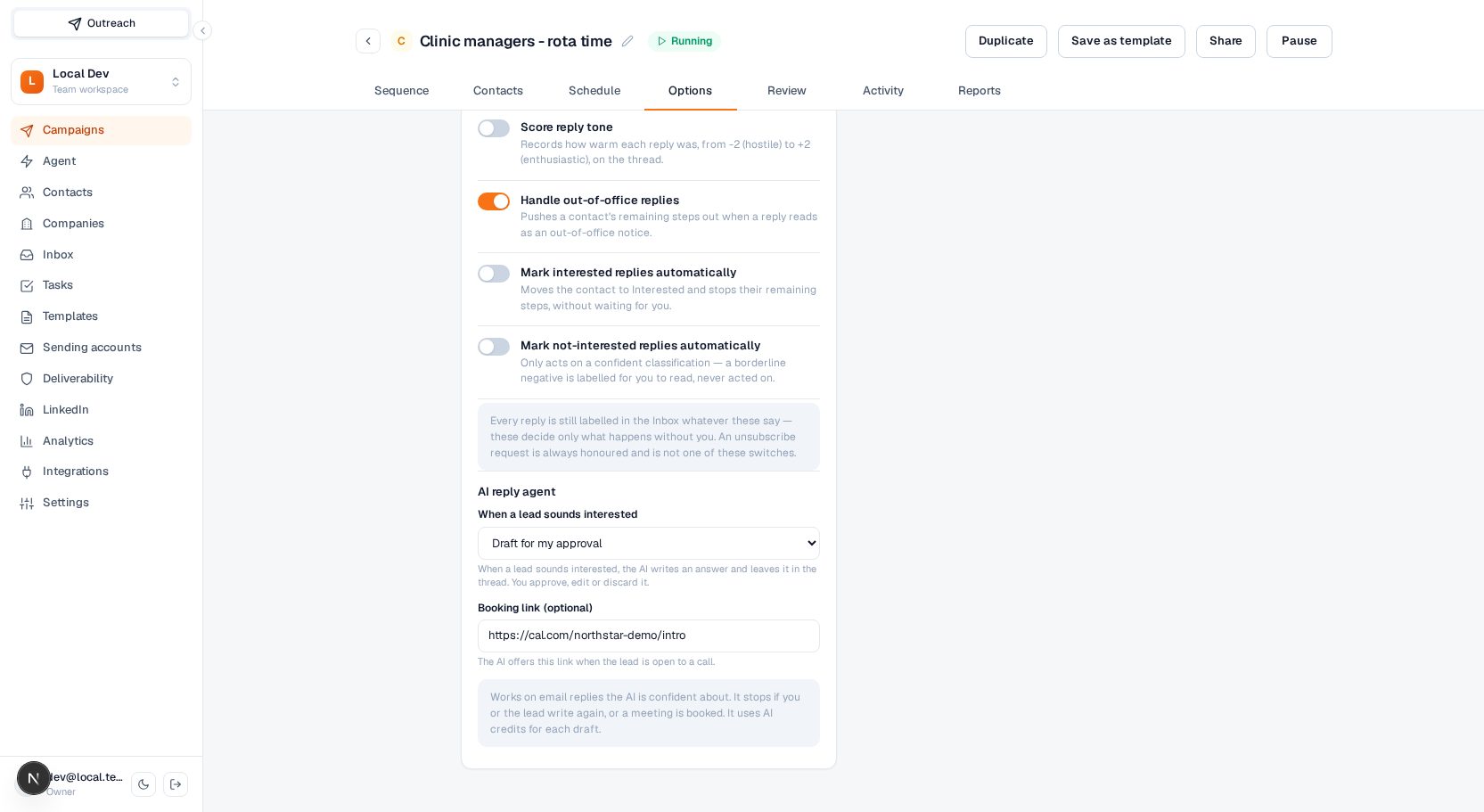
Open a campaign, go to Options, and find AI reply agent. Choose what happens when a lead sounds interested:
- Off (default): nothing changes. Replies wait for you in the inbox.
- Draft for my approval: the AI writes an answer and leaves it in the thread. Nothing is sent until you approve it.
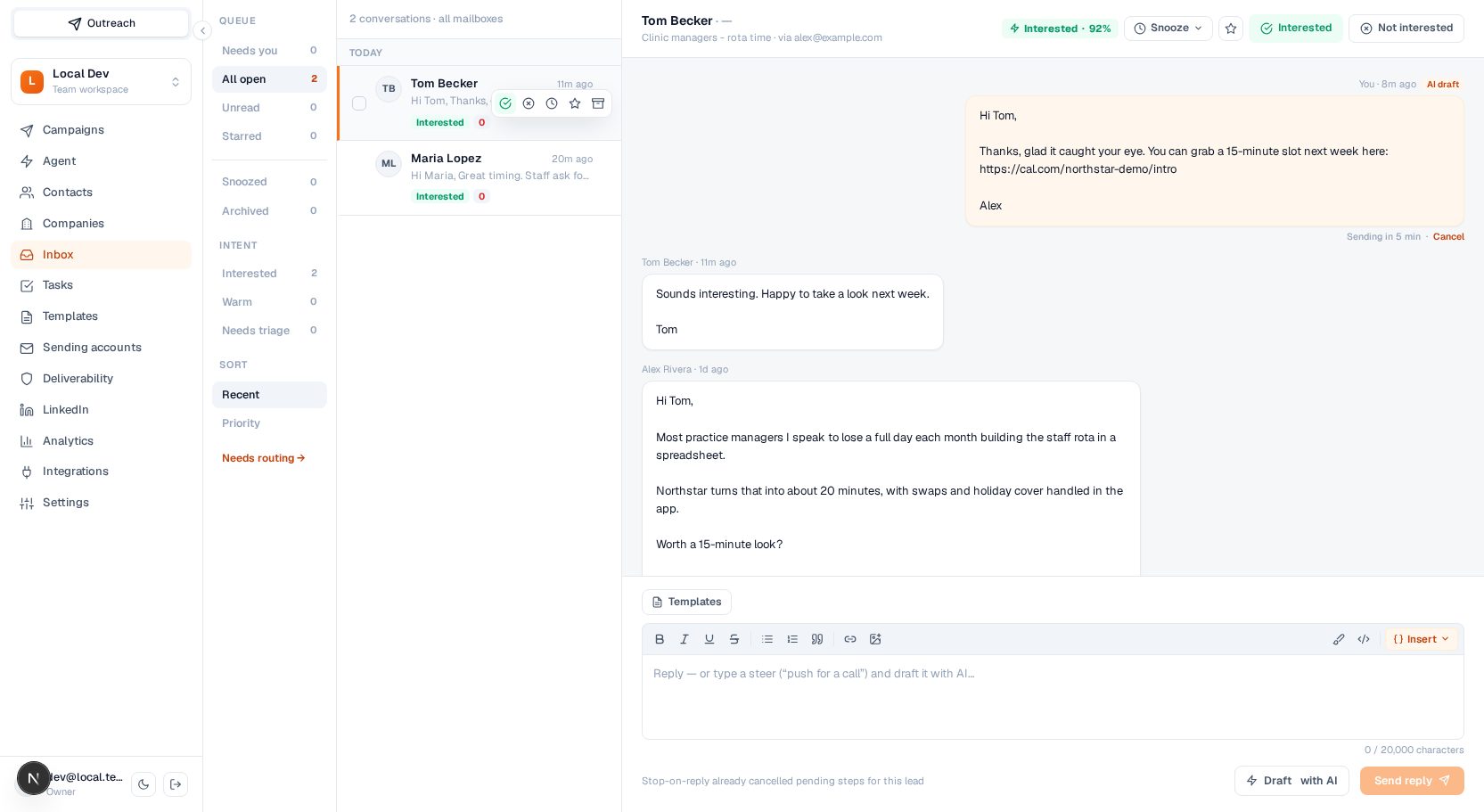
- Send automatically: the AI writes an answer and sends it after a delay (2 to 120 minutes, default 10). You can cancel it until then.
Booking link (optional): an https link, for example your Cal.com or Calendly page. The AI offers it when the lead is open to a call.
In the inbox
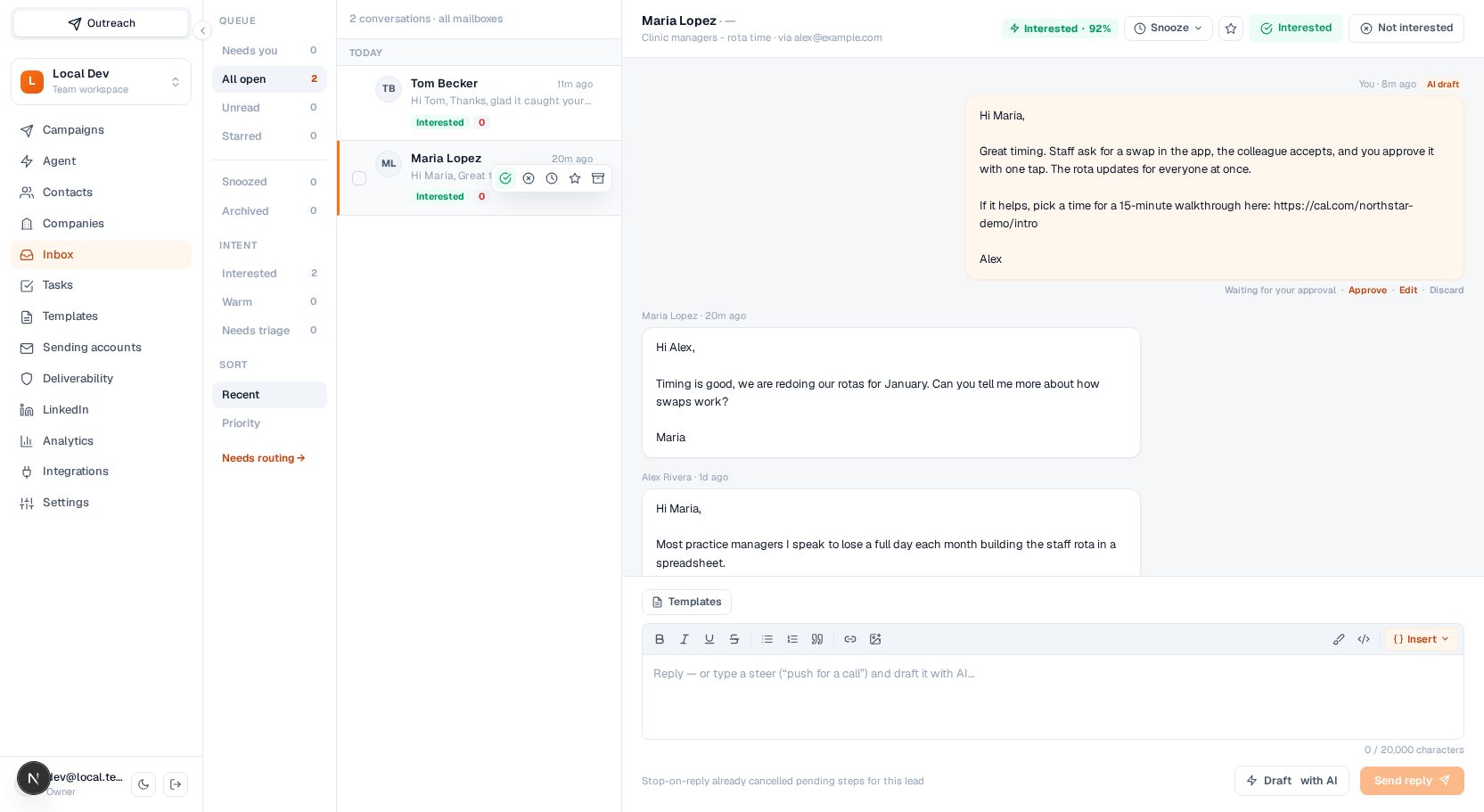
An agent answer shows in the thread with an AI draft badge.
- Draft for my approval: use Approve to send it (it gets the normal 30-second undo window), Edit to load it into the composer and change it (pressing Send reply then approves your edited version), or Discard to throw it away.
- Send automatically: the message shows Sending in N min with a Cancel link. Cancel puts the text back in the composer, so you can still edit and send it yourself.
When it answers
The agent only answers when all of these are true:
- The reply is on an email thread of a campaign that has the agent turned on.
- The reply was classified Interested with high confidence. Questions, objections, out-of-office notices and unclear replies are left to you.
- Nobody has answered the thread from Terlido yet. The agent answers once; after that the conversation is yours.
- The reply arrived in the last 6 hours.
When it stops
Right before an agent answer is drafted, approved or sent, Terlido checks again. The answer is cancelled when:
- you or a teammate replied in the thread (or a reply of yours is waiting in its undo window),
- the lead wrote again,
- a meeting is booked for the contact,
- the thread was archived, or
- the campaign's agent was turned off.
Every draft uses AI credits. When the workspace is out of AI credits, no draft is written and the reply waits for you as usual. The normal send checks still apply: suppressed addresses, sending limits and mailbox health can stop an agent answer the same way they stop yours.
Partial today
- There is no inbox filter for threads with an AI draft waiting. Look for the AI draft badge in the thread.
- The setting is per campaign. There is no workspace-wide default yet.
- The agent cannot be controlled through the MCP tools yet.