Text messages (SMS)
Send one-to-one texts to warm contacts from the contact drawer or the inbox, and read their replies in the inbox.
Send one-to-one texts to warm contacts from the contact drawer or the inbox. Replies come back to the inbox.
What it is
Terlido texts are one-to-one. A person writes each text to a contact they already know. Use them for follow-up with warm leads, not for cold outreach.
- Terlido does not send cold text blasts and has no bulk text tool.
- Texts in a campaign sequence are not built yet. There is no SMS step.
- Texts to newsletter subscribers are not built yet.
- Picture messages (MMS) are not supported. A text is plain text only.
Texting needs a plan with Calls (Multichannel or Agency). It uses your own Twilio account and number.
Set up
Do this once per workspace. You need to be an admin.
- Create a Twilio account and buy or use a Twilio phone number that can send texts.
- Open Settings > Calls and connect Twilio, the same way you connect it for calls. Texting uses the same number.
- In the Text messages (SMS) box, click Enable SMS.
When you click Enable SMS, Terlido looks up your number in Twilio and tries to set the number's incoming-text webhook for you. There are three outcomes:
- Set automatically. Nothing else to do. The box says SMS is on.
- Set by hand. If Twilio returns an error when Terlido reads or changes the number, texting still turns on, but Terlido shows a webhook URL. Copy it and paste it into your number's "A message comes in" setting in the Twilio console. Until you do, sending works but replies do not reach Terlido. While SMS is on, the webhook URL stays in the box with a Copy button, also after you leave the page, so you can paste it later.
- The number already sends texts somewhere else. Terlido shows the host and asks "Replace it with Terlido?". Nothing changes until you click Replace. After you replace it, the other service stops receiving this number's incoming texts.
If the number cannot send texts, Terlido says so and texting stays off. That covers a voice-only number and a number that is not in your Twilio account, such as a verified caller ID (Twilio cannot send texts from it). Use an SMS-capable number bought in your Twilio account.
US numbers need registration (A2P 10DLC)
To text people in the US from a normal local number, US carriers require you to register your brand and your use case. This is called A2P 10DLC. You do it in your own Twilio console. Terlido cannot do it for you. Until it is approved, carriers may block your texts, and Twilio may refuse them with an error. Start here: Twilio's A2P 10DLC guide.
Send a text
There are two places.
- Contact drawer. Open a contact and click Text next to Call. Write the text and click Send text. The box clears and closes. To undo it, go to the Inbox (see below).
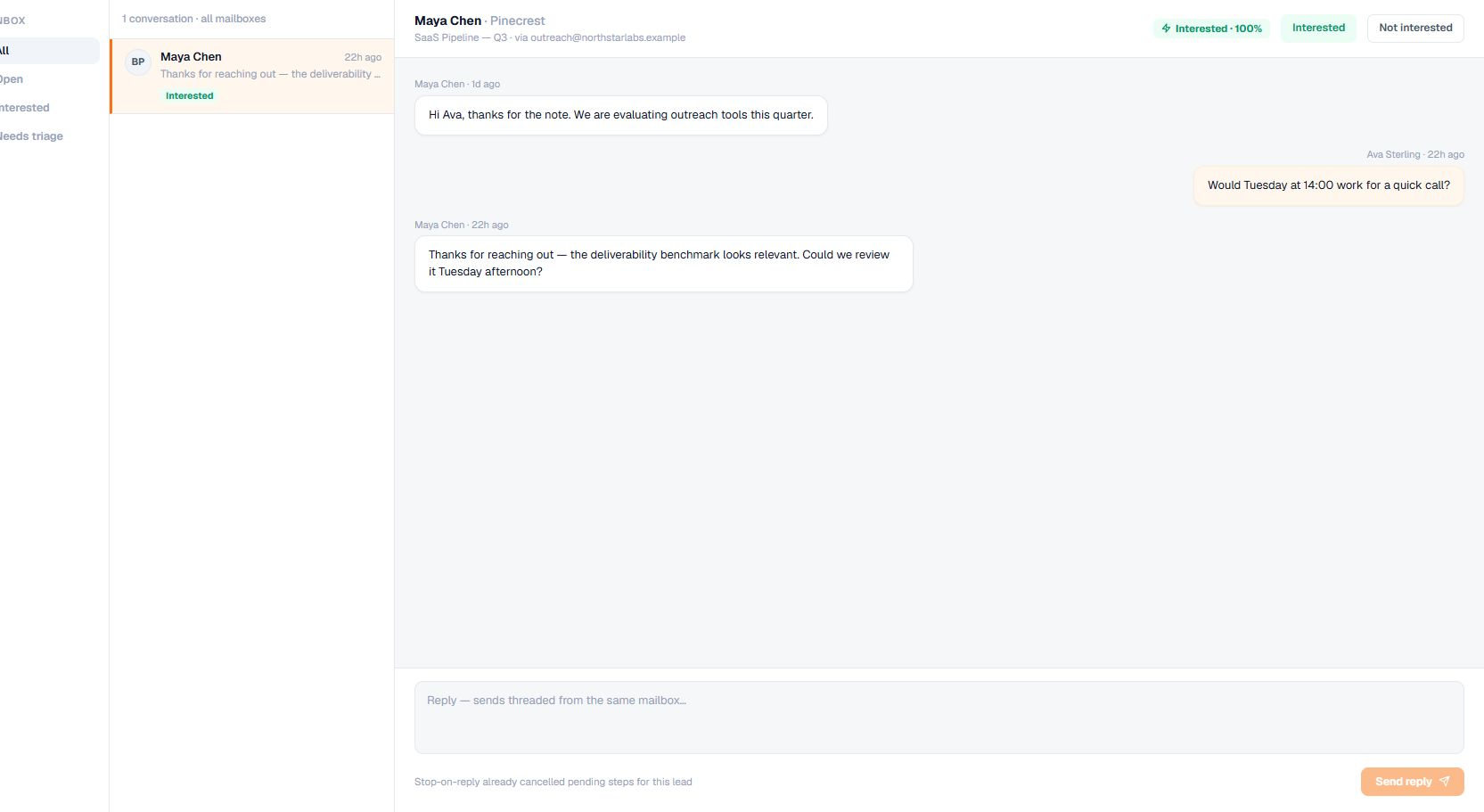
- Inbox. In a text conversation, the reply box is a plain-text box. Write and click Send text.
Under the box, a counter shows the size, for example 42/1600 · 1 SMS. One text of plain letters fits 160 characters. A longer text is split into parts, 153 characters each. If you use an emoji or a letter outside the basic set, the text switches to a different encoding: 70 characters for one text, 67 per part after that. The counter shows how many parts you will pay for. The most Terlido allows is 1600 characters.
30 seconds to undo
A text is not sent right away. Terlido holds it for 30 seconds. Click Undo in that time and the text is cancelled. After 30 seconds it goes out.
- From the Inbox: a text you send as a reply comes back into the reply box when you click Undo.
- From the contact drawer: the drawer box clears and closes as soon as you send. The held text shows as New text in a small bar at the bottom of the Inbox, with Undo. Undo gives you the text back in a text box in that bar: edit it and click Send text to send it again (it is held for another 30 seconds), or click Discard.
When the Text button is disabled
The button is grayed out and a line under it says why. The reasons are:
- Your plan does not include Calls (for example after a downgrade). Texting needs a plan with Calls.
- Texting is not set up. An admin needs to connect Twilio in Settings > Calls.
- Twilio rejected the saved credentials. An admin needs to enter them again.
- SMS is not turned on. An admin needs to click Enable SMS.
- The contact has no phone number, or it is not in international format such as
+14155550100. - You changed the contact's phone but did not save it yet.
- The contact is on the blocklist.
- The contact replied STOP.
The check runs again right before the text goes out, so a STOP that arrives during the 30 seconds still stops it.
What happens after you send
A text ends in one of these states.
- Sent. Twilio accepted the text.
- Delivered. The phone's carrier confirmed it reached the phone. This comes from Twilio after the send.
- Not delivered. The send failed, or the carrier could not deliver it. Terlido keeps Twilio's error code with the message.
- Unknown. Terlido sent the text but Twilio did not answer in time, so it cannot tell whether it went out.
Do not resend an unknown text. It may have already reached the contact, and a second one means they get it twice. Open the conversation, check with Twilio if you need to, and only then decide. Terlido never resends a text for you.
Delivered and not delivered results arrive later and are saved on the message. The inbox does not show a delivered badge yet. Right after a send you see a warning if delivery is unconfirmed.
Replies
When a contact texts your number, the message lands in the inbox as a text conversation. It also:
- reopens the conversation if it was done or snoozed,
- stops the contact's campaign sequence, if that campaign stops on reply,
- raises the contact's lead score, and
- is classified (interested, not now, and so on) like an email reply.
Replies are matched to a contact by phone number. A number is linked to a contact the first time you text it from Terlido. A text from a number Terlido has never texted is not added to the inbox.
STOP and START
People can opt out by texting a word. A reply counts only when the whole message is the word. "Please do not stop" does not count.
- Opt out: STOP, STOPALL, UNSUBSCRIBE, CANCEL, END, QUIT, REVOKE, OPT OUT, REMOVE ME, and a few non-English words.
- Opt back in: START, UNSTOP, or YES. This only counts when the number is currently opted out. A "yes" to your question from someone who has not opted out is a normal reply.
After a STOP, Terlido sends no more texts to that number from your whole workspace, from the drawer, the inbox and agents. The Text button shows "This contact replied STOP". A STOP does not block email or calls to that person. Texting works again only after they text START, UNSTOP or YES.
When Terlido's reply classification reads a text as a clear request to stop (for example "please stop texting me"), it opts the number out of texts the same way as STOP. It does not block email.
Cost
Texts are paid to Twilio, on your own Twilio account. Twilio bills each text part, so a long text costs more than a short one. See Twilio's SMS pricing for the price in your countries.
AI agents
An agent can send texts with the send_sms tool. See MCP tools.
Texts sent by an AI agent over MCP (send_sms and send_reply) go out immediately. There is no 30-second undo.