Sending schedule and time zones
Restrict outreach to selected days and hours.
Restrict outreach to selected days and hours.
How to use it
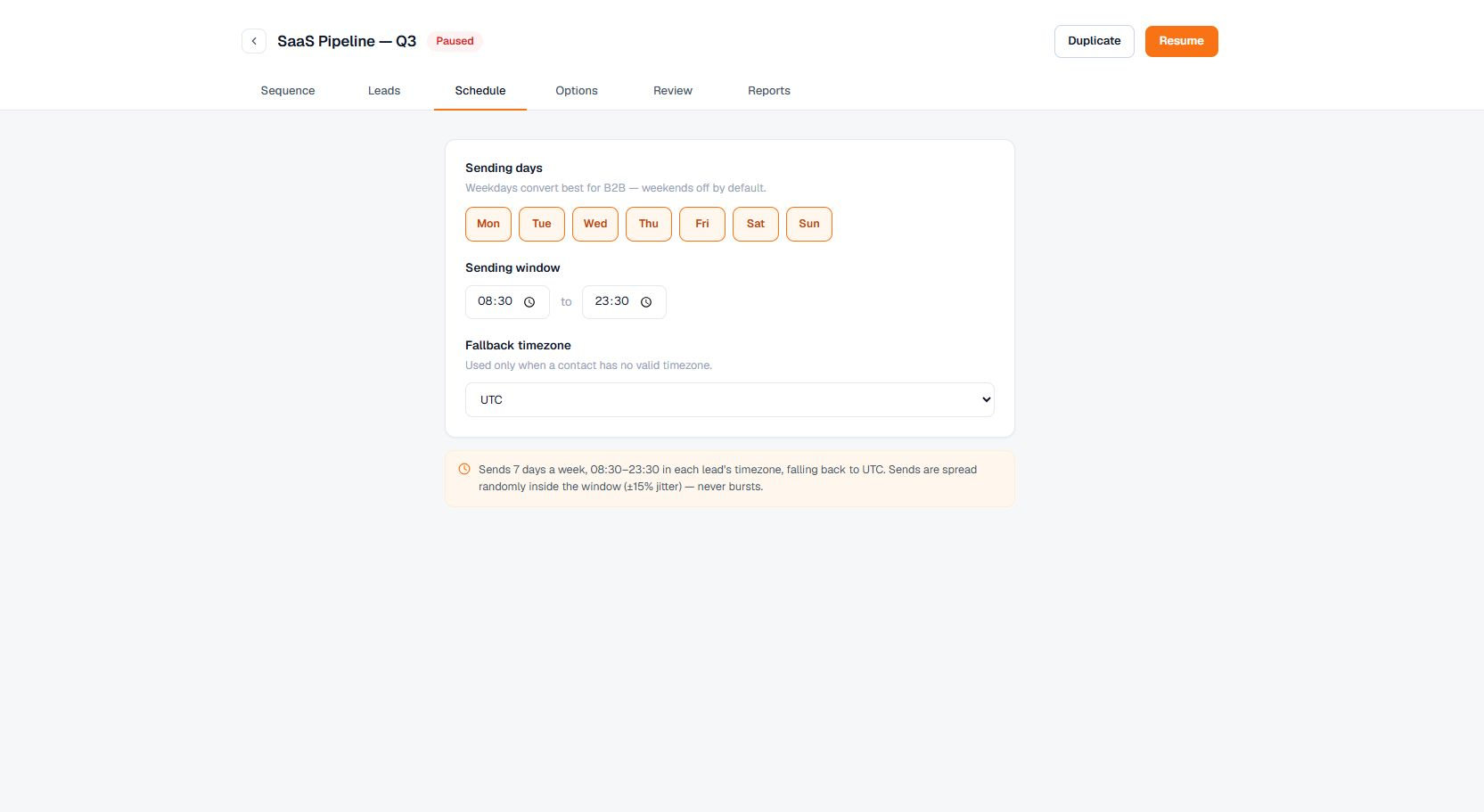
Set campaign days, start and end times, and the time-zone policy in Schedule.
Important behavior
Terlido evaluates the window in each contact's own time zone when it is known, and falls back to the workspace or campaign zone otherwise — so a contact is only emailed during their configured local hours.
Sends are spread across the window rather than fired the moment it opens. Each contact — the first email and every follow-up — is given a randomized time inside the day's window, so a campaign that starts (or resumes) outside its hours doesn't dump a whole day's volume at the opening minute. Work that overflows a daily send limit rolls to the next sending day and is spread across that day's window too.