Signup forms and double opt-in
Collect subscribers with the hosted page, an embed on your site or a pop-up, and confirm every signup by email.
Collect subscribers with the hosted page, an embed on your site or a pop-up, and confirm every signup by email.
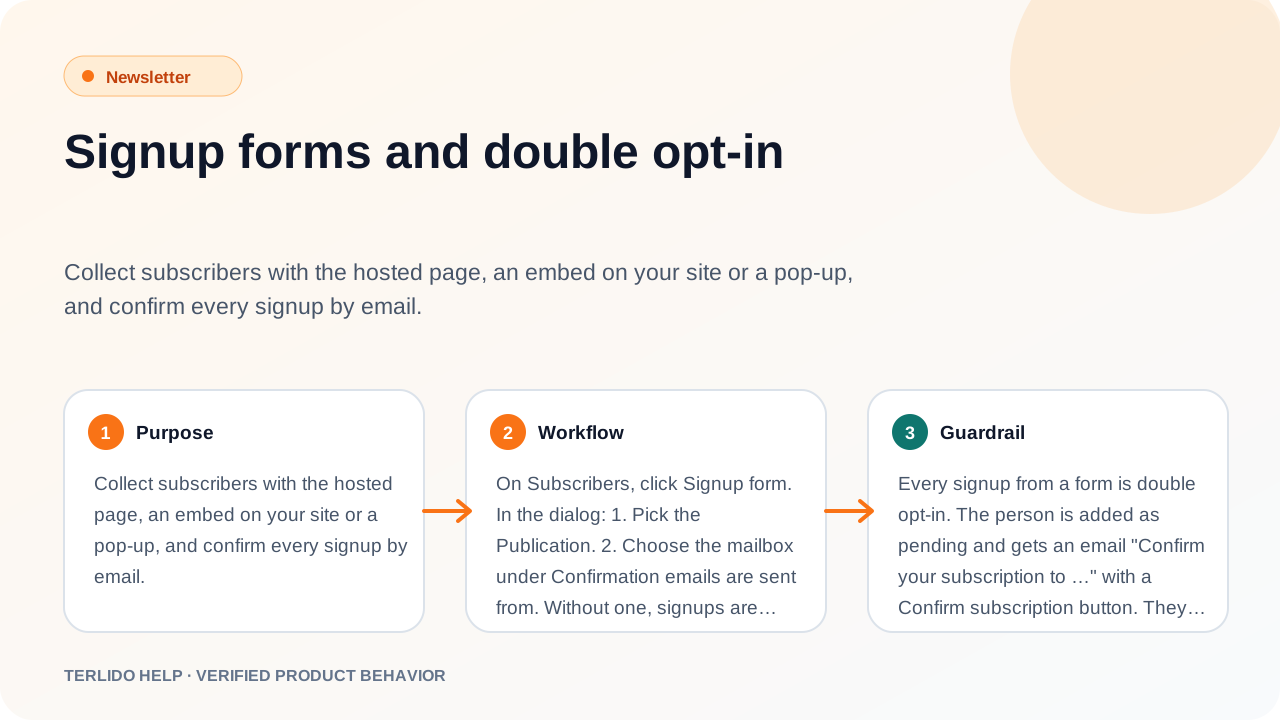
How to use it
On Subscribers, click Signup form. In the dialog:
- Pick the Brand.
- Choose the mailbox under Confirmation emails are sent from. Without one, signups are closed.
- Share the Hosted page link (click Copy), or style the form and copy the Embed code into your site.
Style the embed with Layout (Full width, Fixed width or Slim), Button color and Button text.
Important behavior
Every signup from a form is double opt-in. The person is added as pending and gets an email "Confirm your subscription to …" (or your own wording, see below) with a Confirm subscription button. They become active only after they click it. The link works for 7 days. If they have not confirmed 2 days after the email, Terlido sends it once more with a new link (see Confirmation reminder). A signup that is never confirmed is deleted after 8 days, or 8 days after the reminder if one was sent.
If the address is suppressed, the form answers like any other signup but nobody is added. Someone who unsubscribed before can sign up again, and must confirm again.
The embed
The embed is a plain HTML form with a small script, not an iframe. It has one Email field and the line "We'll email you a link to confirm." The script passes utm_ tags from your page's URL, ad click ids (gclid, fbclid, msclkid, ttclid) and the referring site along with the signup, so you can see them under By utm_source on Overview and in the subscriber's source detail and the CSV export.
First-touch attribution cookie
The script remembers where a visitor first came from. On the first page view that has a utm_ tag, a click id or a referring site, it saves them in a first-party cookie named terlido_attr on your site, for 30 days. A signup on any page of your site in those 30 days carries that first visit's values, even if the visitor came back another way. Later visits do not change it.
The cookie is a marketing cookie set by your site. If your visitors must agree to cookies first, load the embed only after they agree. Click ids are stored with the subscriber and are visible to your team in the subscriber's details and the export.
Tell your page someone subscribed
If you show the hosted page or the form inside an iframe, the "Check your inbox" page sends a message to the page around it:
window.addEventListener("message", (event) => {
  if (event.data?.type === "terlido:subscribed") {
    // event.data.publicationId: fire your own conversion event here
  }
});
The message holds only the publication id, never the email. It means the signup form was sent, not that the person confirmed. It is also sent for an address that was already subscribed, because that page looks the same for every address. An embed placed directly in your page (not in an iframe) and an After signup redirect send no message: your own thank-you page is the place to fire a conversion event there.
Forms are protected against bots: a hidden trap field, a minimum time to fill in the form, and a limit per IP address.
After signup
Under After signup, choose what happens after someone submits:
- Show the standard message: "Check your inbox".
- Show my message: your own text, up to 500 characters.
- Send people to my page: a redirect to a full
https://URL.
Click Save after signup.
More forms
Under Forms, click New form to make up to 20 forms per brand. Each has its own name, style, after-signup setting and an optional Tag new signups, so you can tell where people came from. The tag is added when the signup is confirmed. If you delete a form, its code keeps working with the brand's settings.
Pop-up form
Turn on Pop-up on one form to show it on your public issue pages. Show it after a delay (0 to 120 seconds), on exit intent (desktop only), or both. A reader who closes it does not see it again in that browser.
Magic links
A Magic link subscribes someone with one click, for example a link in another email. It expires after 30 days, 90 days (default) or 1 year. Magic links ask for confirmation (on by default) makes those signups confirm by email too. The signup form always asks.
Unsubscribe and preferences
Every email has a one-click unsubscribe link for that brand. Manage preferences opens a page listing the reader's subscriptions, with Unsubscribe and Subscribe again buttons.
Confirmation and goodbye emails
In Subscribers, Signup form, under the double opt-in switch:
- Confirmation email: write your own subject and text. Terlido always adds the Confirm subscription button and the 7-day line under your text. Preview shows the email; Reset to default goes back to the built-in copy.
- Confirmation reminder: Send one reminder is on by default. If someone has not confirmed 2 days after their last confirmation email, they get the same email once more, with a new 7-day link and "Reminder:" before the subject. It is sent at most once per subscriber, from the brand's sending mailbox, and never to a suppressed address. Asking again on the form restarts the 2 days. Turn it off to send no reminder for this brand.
- Goodbye email: turn on Send a goodbye email and write it. It is sent once, only when a reader unsubscribes themselves (the email link, their mail app's unsubscribe button, or the preferences page) while active. Never after a bounce, a change you make, an import or the API. It carries a "Manage your subscriptions" link so they can come back. Keep it short and with no offers.
- After unsubscribe: show the standard page, your own message, or send people to your own page. This applies when someone unsubscribes from the page the email link opens; a mail app's one-click unsubscribe always gets the standard answer.
Bounces
A hard bounce (the address does not exist) stops all email to it at once. A soft bounce (mailbox full, server busy) counts once per email, however many delay notices arrive for it. Three different emails that soft-bounce with no click in between are treated as a hard bounce. Any click resets the count.
To add subscribers from your own code, use the Newsletter API.